




Hands for your AI agent

Give your AI agent hands.
It clicks, types and sees your screen.

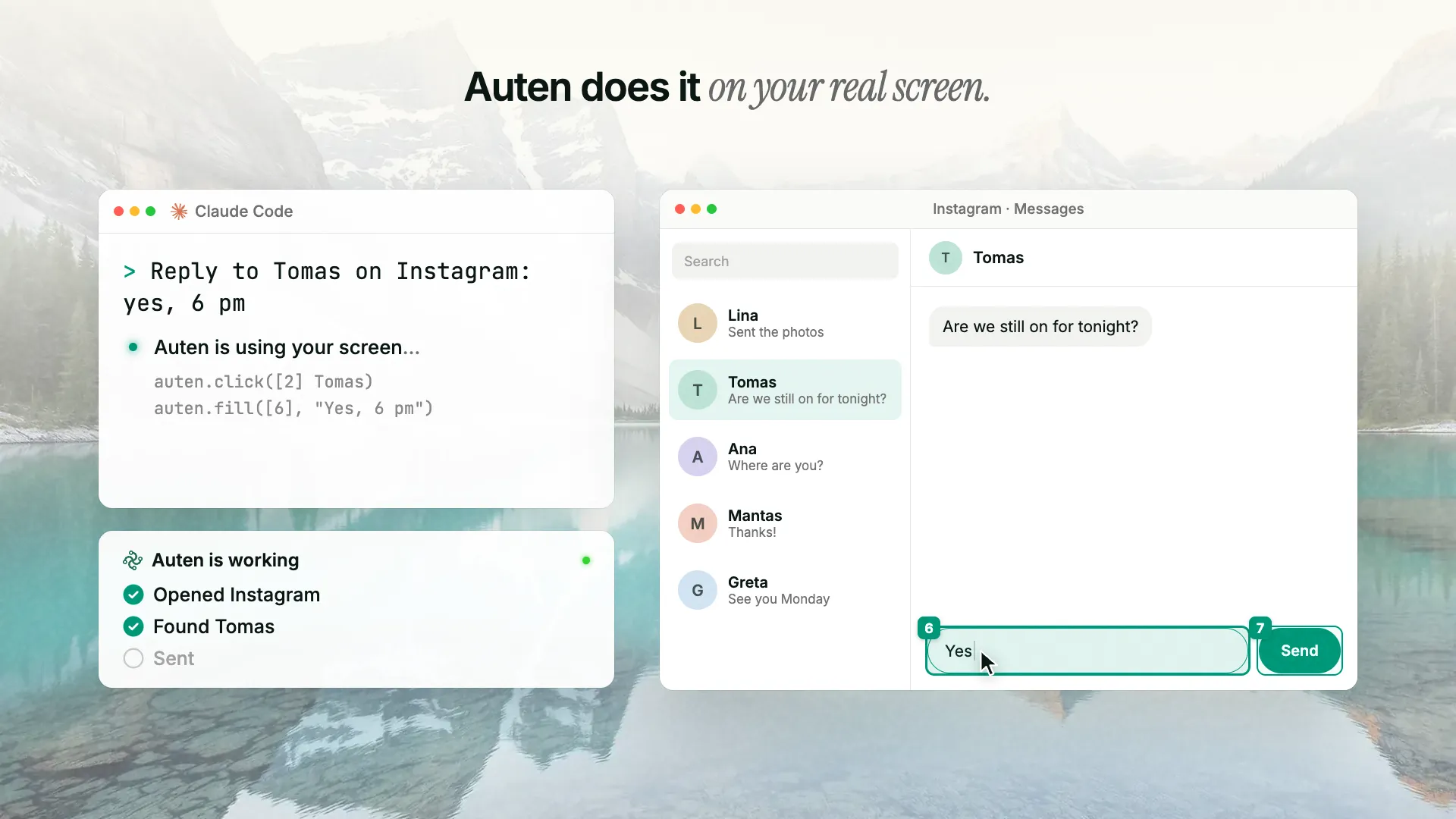
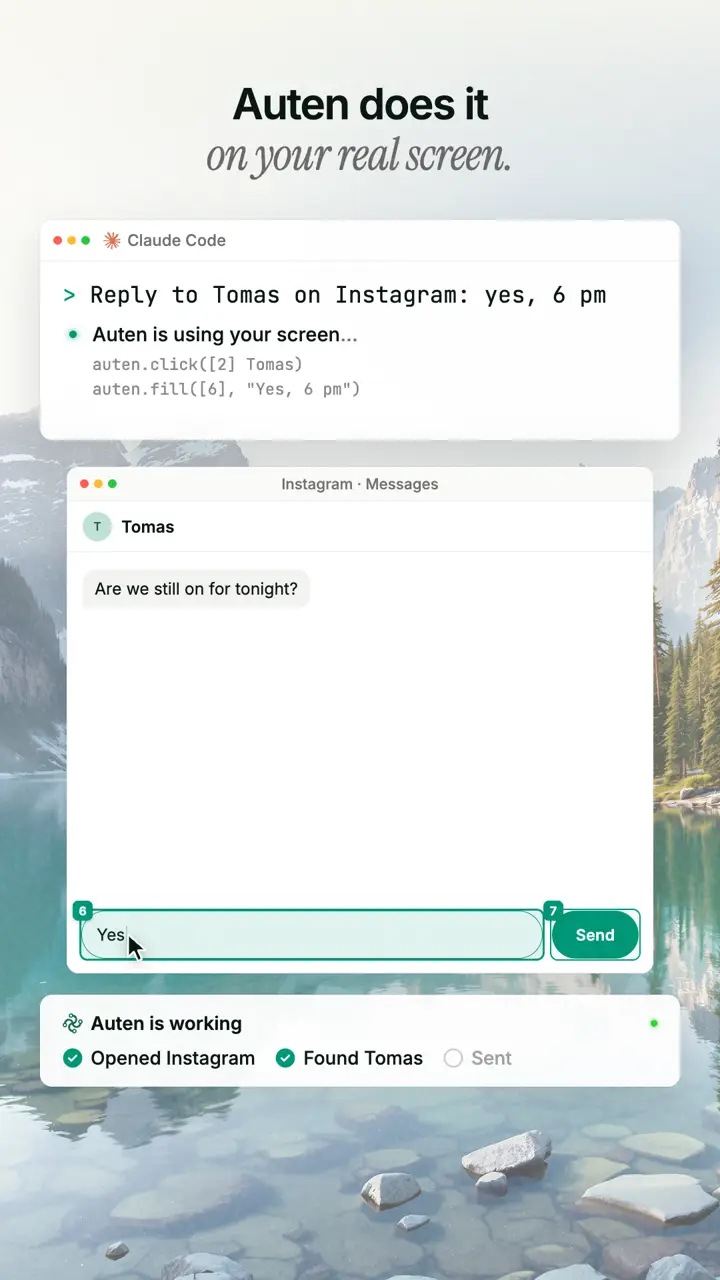
Auten lets Claude Code, Codex, Cursor and other agents use your real computer: click, type, fill in forms and read the screen in apps that have no API. It learns each task, so the next run is fast and spends no tokens.

Step 1, install the runner (Mac, Windows, Linux):

Open a terminal and run:
curl -fsSL https://auten.ai/install | bash

Works with the AI agent you already use

  • Claude Code logoClaude Code
  • OpenAI Codex logoOpenAI Codex
  • Cursor logoCursor
  • Gemini CLI logoGemini CLI
  • Windsurf logoWindsurf
  • VS Code logoVS Code
  • Claude Desktop logoClaude Desktop
  • Zed logoZed
  • Cline logoCline

And any other MCP client, or your own API key with the auten CLI. See the setup for each

What is Auten

Auten gives your AI agent hands on your computer, and a memory. Most computer-use tools make the AI think through every step, every single time. Auten remembers: your agent works a task out once, then Auten repeats it by itself, fixes itself when an app changes, and shares what works with everyone.

How Auten learns

An agent that remembers

Learn once, replay in seconds, heal when apps change, share what works. The more Auten is used, the fewer tokens your AI spends.

  • Works in your real apps

    Auten clicks, types and reads your screen like a person — in apps and websites that have no API. Describe the task in plain words; it does it on your machine.

  • Learns from a single run

    The first time, your AI agent works the task out. Auten saves it as a skill with parameters, so next time it replays by itself, without an AI call. Measured: 17 s with AI, 9 s replayed.

  • Works with your AI agent

    Claude Code, Codex, Cursor or any MCP client. One command adds Auten to Claude Code:

    claude mcp add -s user auten -- auten mcp-bridge
  • Global learning

    When Auten learns the same task for three different users, it becomes a shared skill every Auten can replay. Only the steps travel — never your content, your screen or your passwords.

  • Fixes itself

    If an app changes, Auten looks again, finds the new button and patches the skill for everyone. Popups it has seen before are closed without AI.

Use cases

Complicated settings? Just tell Auten.

Google Analytics, Meta Business Suite, ad accounts, domain panels: endless menus and settings buried five clicks deep. Say what you need and Auten clicks through it for you, then remembers how for next time.

Google & Meta settings

Admin panels, done for you

Create a GA4 property, find a measurement ID, change a setting in Meta Business Suite. Describe it in one sentence; Auten finds the right menus and does it in your own browser.

Runs on a server

Leave it running, let it work

Put Auten on a computer that stays on, like a spare Mac, Windows PC or Linux box, with auten --runner-only. Send it work from your laptop or from Claude, and it keeps going while you do something else.

Everyday tasks

Repetitive work, done from memory

Rotate and resize images, save documents, add a layer in Figma, send a DM — Auten learns each one once, then runs it by itself.

Faster every run

Less AI every time you use it

The first run pays for the thinking. After that Auten replays the skill — faster and cheaper, run after run.

How it Works

Set up in a minute, faster every run

A small runner on your machine is the hands and eyes. Your AI agent is the brain: it works a task out once, then Auten does it from memory.

  • Install the runner

    One command for Mac, Windows and Linux, plus your Android phone over USB (beta).

    Open a terminal and run:
    curl -fsSL https://auten.ai/install | bash
    Install
  • Connect your AI

    Get a free key, then add Auten to Claude Code, Codex, Cursor or any MCP client. No agent? Use your own API key. Logins stay encrypted on your computer.

    Connect your AI
  • Describe the task

    Ask your agent in plain words. The first run your AI works it out; after that Auten replays it in seconds and heals itself if the app changes.

    See plans
Privacy

Your passwords never leave your computer

Most AI tools ask you to paste credentials into a chat box. Auten never does.

Logins stay yours.

When a site needs a login, Auten asks you once, keeps it encrypted on your own computer and types it in there itself. The AI model and our servers never see it.

Passwords sent to the AI
0
Asked once, hidden input
1×
Your login stays on your Mac, Windows or Linux computer
  • Auten
  • macOS Keychain
  • Linux

How Auten handles your secrets

  • Asked once, hidden

    When a login is needed, Auten asks once in your terminal with hidden input. Nothing is typed into a chat.

  • Stored on your machine

    In your Keychain on a Mac, Credential Manager on Windows, or a private local vault on Linux. Auten fills it in locally.

  • Hidden from the AI

    If a secret appears on screen, it is swapped for a placeholder before the model sees it, and can still be reused later.

Pricing

Simple pricing. Bring your own AI.

Start free with 30 minutes a month. Starter gives you 10 hours for €9 a month, Pro has no time limits for €29. Bring your own AI: Claude Code, Codex, Cursor or your own API key.

Starter

10 H / MONTHEarly access price

10 hours of runtime a month for your regular tasks. Cancel anytime.

€19€9/ month

Regular price after early access: €19 / month, €190 / year.

or €190 €90 / year, 2 months free. Pay yearly

What you get

  • 10 h of runtime every month
  • Bring your own AI
  • Learned skills and global skills
  • Works with any MCP client
  • Passwords stay on your machine
  • Email support

Teach your computer once

Paste this into your terminal, then connect your AI. The first run your agent works it out; after that, Auten does it by itself.

Open a terminal and run:
curl -fsSL https://auten.ai/install | bash
Get a free key

You get

  • 30 min free every month
  • No credit card
  • Passwords stay on your computer
Give your AI agent hands: computer control over MCP | Auten.ai